
CNC cutting
CNC cutting: cutting vinyl, cardboard, leather and gaskets with a CNC router
With a knife in the tool holder, your CNC router becomes a cutting plotter. Here you can see how cutting works, which of the three STEPCRAFT knives suits which material and what to look out for when setting up.
- 7 min read
- 3 knives compared
- Ø 43 mm tool holder
Principle
A knife instead of the milling spindle
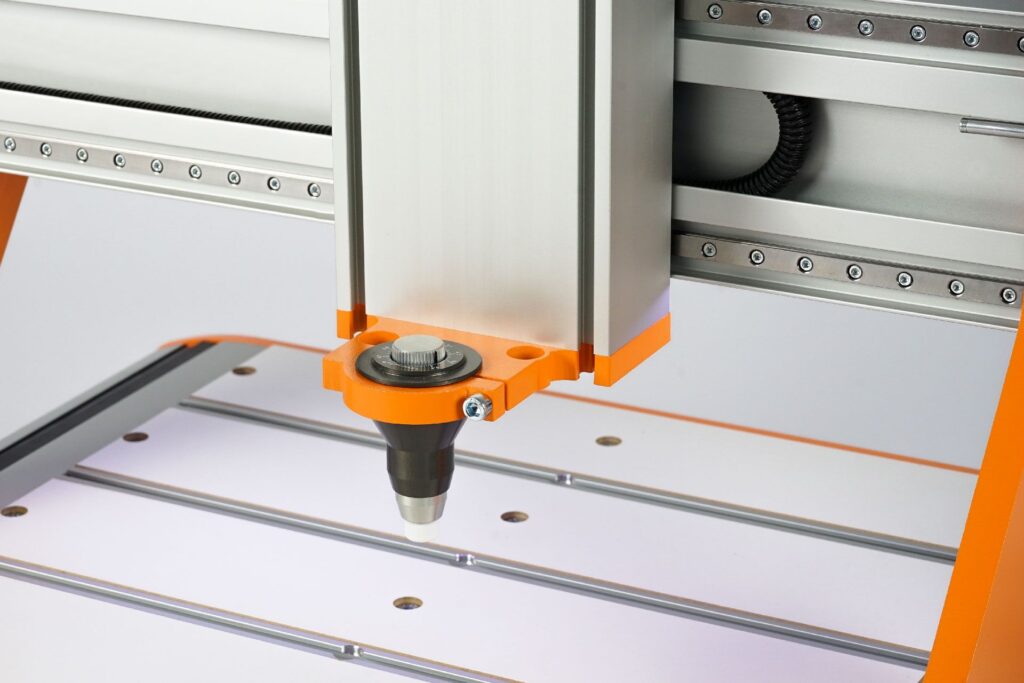
For CNC cutting, you clamp a knife in the tool holder of your machine. The axes follow the contour as in milling, except that the knife separates the material instead of machining it. There are no chips and no dust, and the cut edge stays clean.
Dragged blade
With the drag knife, the blade runs eccentrically and aligns itself in the cutting direction through the feed movement, similar to a castor. This is easy to set up and ideal for thin materials.
Actively aligned blade
With the tangential knife, a servo motor turns the blade specifically into the cutting direction. This allows tight radii and sharp corners even in thicker materials.
Oscillating cut
The OTK-3 also moves the blade rapidly up and down. This allows it to cut foam, leather, rubber and corrugated cardboard without compressing or distorting the material.

Fixing the workpiece correctly
For cutting, the material must lie flat and must not slip. Depending on the material, masking tape or double-sided adhesive tape is sufficient; for series and thin films, a vacuum table is the most convenient solution. Place a spoilboard underneath so that the blade does not hit the machine table when cutting through.
- Masking tape or double-sided adhesive tape for individual parts
- Vacuum table for vinyl, cardboard and series
- Spoilboard made of MDF or a cutting mat
Tools
Three knives for different tasks
STEPCRAFT offers three cutting tools. Which one is right depends mainly on material thickness and hardness.
Thin materials
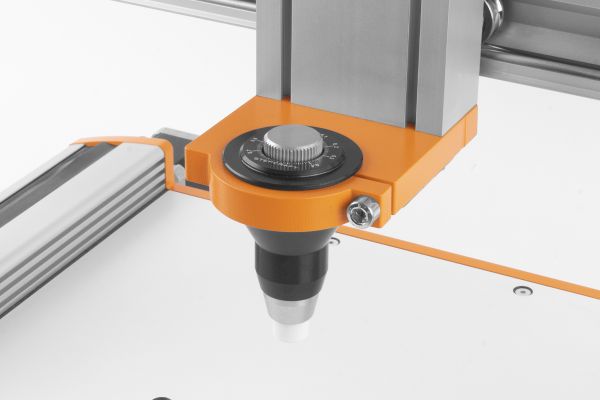
Drag knife
For vinyl, paper and craft card. You set the cutting depth to an accuracy of 0.01 mm via a graduated scale, and a height compensation of around 10 mm evens out unevenness.
- Cutting depth up to 1.5 mm
- Tight radii from 0.5 to 1 mm
- Directly into the Ø 43 mm holder
- Plotter blades 30°, 45° and 60°
€99.99 incl. 19% German VAT
Rough cuts
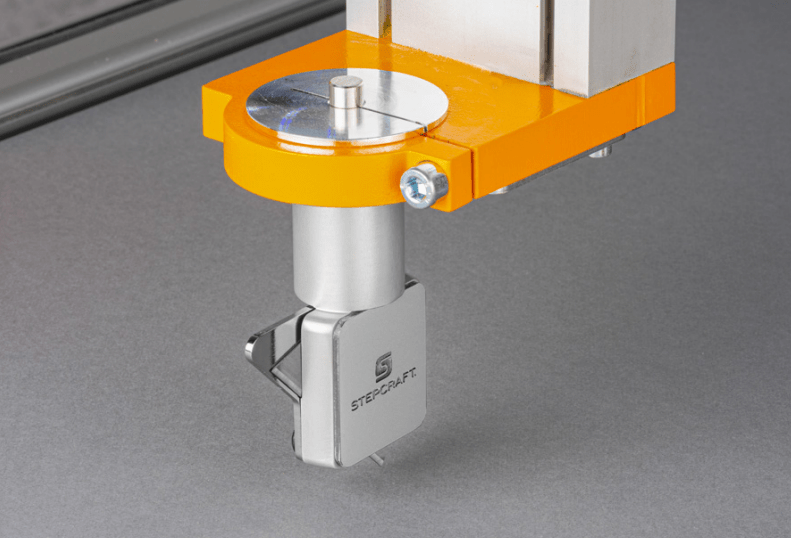
Heavy Duty drag knife
For harder and thicker materials such as rubber, gasket material, cardboard and foam. It takes standard blades and has a blade guard.
- Cutting depth up to 14 mm (Stanley Fatmax) or 13 mm (Martor 52)
- Radii from about 2 mm, depending on the material
- Shank Ø 8 mm, via adapter into the Ø 43 mm holder or into the 8 mm collet
- Cutting depth adjustable in height
€179.00 incl. 19% German VAT
Precise through-cuts
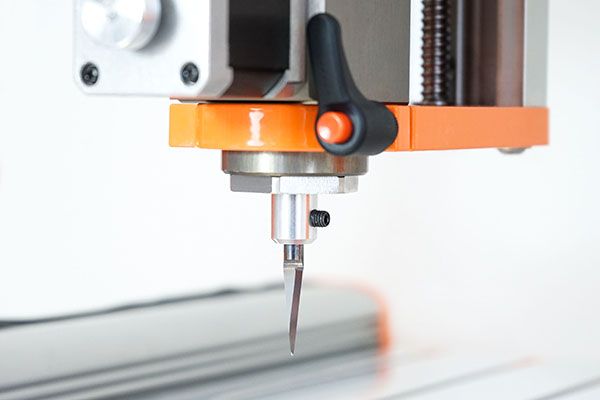
Tangential knife OTK-3
Oscillating tangential knife with its own control of the blade direction. For precise contours, small lettering and thick, soft materials.
- Solid carbide blades for cutting depths of 6 to 25 mm
- Up to 2,000 strokes per minute, 3 mm stroke
- Creasing wheel for creasing cardboard
- Ø 43 mm holder, for the D- and M-Series
€429.00 (without blades) incl. 19% German VAT
The OTK-3 complete set for €569.00 also includes the creasing wheel set, the hold-down adapter and a 10 mm oscillating blade. The creasing wheel set (€79.99) and the hold-down adapter (€44.99) are available separately; like the OTK-3, both fit the D- and M-Series. Prices incl. 19% German VAT, as of November 2026.
Comparison
The three knives in a technical comparison
| Feature | Drag knife | Heavy Duty drag knife | Tangential knife OTK-3 |
|---|---|---|---|
| Suitable for | D-, M- and Q-Series | D-, M- and Q-Series | D- and M-Series |
| Cutting depth | up to 1.5 mm | up to 14 mm (Stanley Fatmax), 13 mm (Martor 52) | 6 to 25 mm depending on blade |
| Smallest radius | 0.5 to 1 mm | from about 2 mm, depending on hardness and cutting depth | very tight radii and sharp corners |
| Blade alignment | passive (dragged) | passive (dragged) | active via servo motor |
| Oscillating | no | no | yes, up to 2,000 strokes/min |
| Radius correction | with WinPC-NC directly from vector data | required: up to 1 mm material thickness in WinPC-NC, above that in CAM | not required |
| Setting the cutting depth | manually via graduated scale | manually or via G-code | via G-code |
| Height compensation | automatic, around 10 mm | – | with hold-down adapter (8 mm) |
| Holder | Ø 43 mm (Euro neck) | Shank Ø 8 mm: adapter to Ø 43 mm or 8 mm collet | Ø 43 mm (Euro neck) |
| Blades | Stainless steel plotter blades 30°, 45°, 60° | Stanley Fatmax, Martor 52 | Oscillating blades with Weldon shank Ø 6 mm |
| Setup | no change to the machine profile | no change to the machine profile | Set up the 4th axis in the machine profile; UCCNC from 1.2110 or WinPC-NC full version |
| Price | 99,99 € | 179,00 € | €429.00 without blades, complete set €569.00 |
Materials
Which knife for which material
As a rule of thumb: the thinner and softer the material, the simpler the tool. For thick, yielding or fibrous materials, the oscillating tangential knife is the right choice.
| Material | Recommended knife | Note |
|---|---|---|
| Plotter vinyl, flock film, flex film | Drag knife | Only cut down to the backing film (kiss cut) |
| Paper, craft card | Drag knife | For cards, templates and papercraft |
| Solid board, hardboard | Tangential knife OTK-3 | Crease with the creasing wheel, for example for folding boxes |
| Corrugated cardboard, twin-wall sheets | Tangential knife OTK-3 | Oscillation prevents the flutes from being crushed |
| Rubber, gasket material | Heavy Duty or OTK-3 | OTK-3 for fine contours, Heavy Duty for simple cuts |
| Foam, rigid foam, Depron® | Heavy Duty or OTK-3 | OTK-3 for tool inserts with precise cut-outs |
| Leather, cork | Tangential knife OTK-3 | Clean edges even with small radii |
| Carpet, felt, fabric | Heavy Duty or OTK-3 | For fibres, the OTK-3 with hold-down adapter |
| Foamboard | Heavy Duty or OTK-3 | For letters and displays |
Applications
What workshops and businesses use CNC cutting for
With a knife, your CNC router becomes a cutting plotter. This allows you to produce parts for which you would otherwise need a separate machine or a service provider.
Sign making and lettering
Vinyl cuts and displays right next to milling.
- Lettering and stickers from plotter vinyl
- Flock film for textile printing
- Letters and displays from foamboard
Packaging and samples
Samples and small series from cardboard, without a cutting die.
- Folding boxes and packaging samples with creasing
- Inserts and dividers from corrugated cardboard
- Prototypes for displays and stands
Engineering and workshop
Cut functional parts from soft materials with an accurate fit.
- Flat gaskets from rubber and gasket material
- Tool inserts (shadow boards) from foam
- Mats, cuts from carpet and felt
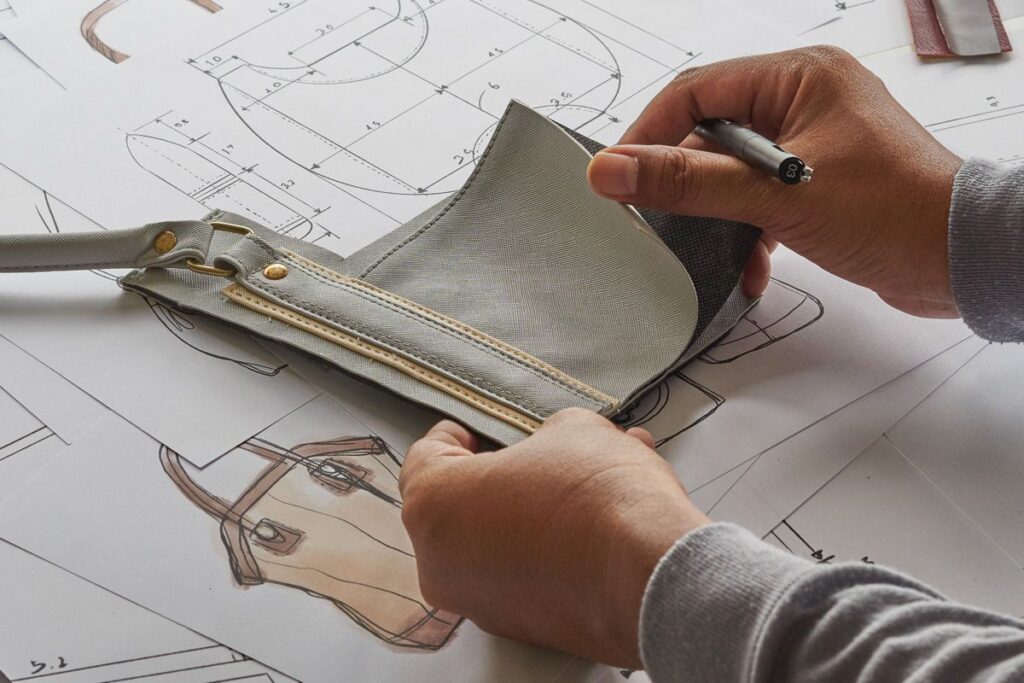
Leather, textiles and one-off pieces
The OTK-3 cuts leather and fabric with smooth edges. This lets you produce key rings, bag parts or labels in small series. For your own projects, greeting cards, window pictures, stickers and papercraft are possible with the drag knife.
Setup
Setup and tips for clean cuts
Test the cutting depth
First set the cutting depth on an offcut. For vinyl, the blade should separate the material but only lightly score the backing film.
Consider radius correction
The tip of a drag knife trails slightly behind the axis. Without correction, corners become rounded. WinPC-NC corrects this directly for vector data; for the Heavy Duty from 1 mm material thickness, the CAM program does it.
Adjust the feed rate
Thin films can handle a high feed rate. Cut more slowly with thick or tough material so that the blade does not deflect.
Keep the workpiece flat
Wavy films and light materials lift during cutting. A vacuum table, adhesive tape or, for the OTK-3, the hold-down adapter helps.
Replace blades in good time
Blunt blades tear the material instead of cutting it. Keep spare blades to hand, especially for cardboard and rubber.
Setting up the OTK-3 correctly
The OTK-3 requires a 4th axis set up in the machine profile and UCCNC from version 1.2110 or the full version of WinPC-NC.
FAQ
Frequently asked questions about CNC cutting
We are happy to advise you personally and free of charge.
Can I cut with my CNC router like with a cutting plotter?
Yes. Instead of the milling spindle, you clamp a knife in the Ø 43 mm tool holder. The machine follows the contour as in milling. For vinyl and paper, the drag knife is sufficient; for thicker materials, use the Heavy Duty drag knife or the OTK-3 tangential knife.
Which knife is right for me?
For vinyl, paper and thin card, the drag knife. For rough cuts in rubber, cardboard or foam, the Heavy Duty drag knife. For precise contours in thicker and soft materials such as leather, foam or corrugated cardboard, the OTK-3 tangential knife.
How thick can the material be?
With the drag knife you cut up to 1.5 mm, with the Heavy Duty up to 14 mm. With the OTK-3, the cutting depth depends on the blade; solid carbide blades are available for 6 to 25 mm.
Which machines can I use the knives on?
All knives, the creasing wheel set and the hold-down adapter are designed for the D- and M-Series with their Ø 43 mm tool holder.
Which software do I need?
You create the contours as vector data or in the CAM program. In WinPC-NC, the drag knife processes vector data directly with radius correction. For the OTK-3, you need UCCNC from version 1.2110 or the full version of WinPC-NC.
Can I crease cardboard too?
Yes, with the creasing wheel set for the OTK-3. The set contains creasing wheels for solid board and twin-wall material. This lets you add fold lines for folding boxes and packaging samples.
How do I fix the material?
Masking tape or double-sided adhesive tape is sufficient for individual parts. For vinyl, cardboard and series, we recommend a vacuum table. Always place a spoilboard or cutting mat underneath.
Which knife suits your material?
Send us your material and task, and we will recommend the right cutting tool. We are happy to show you cutting on the machine in our showroom in Menden.